AI
The Art of Shirking at Work
A note on the title
The title is intentionally provocative. AI isn't meant to help us shirk at work — it's meant to free us from the drudgery so we can do the truly creative work.
This will probably be obsolete a few days after posting. Yes, "days". That's how fast the industry is changing because of AI, and we're constantly trading notes with each other to see where others are and find the best way to use it. You can look at other people's setups for inspiration, but you can't copy them and expect them to work as well for you. So here's mine.
Personally, I feel most people out there obsess too much over crafting good markdown files, or harnesses, or whatever else to run these agents. I recall Garry Tan raving about his genius 100k+ markdown files on a recent podcast I watched. I wish I could be that confident in my delusions.
I think differently: the AI should be good enough to take my implicit request and figure out what markdown files to create (if any) by itself. For example, if I ask Claude to do task A on a project, and task A requires rummaging through my codebase for background context, it should be implicit that it creates a memory or skill file and saves it — so the next time I ask for task A, it doesn't waste as many tokens rediscovering everything. If it relies on me to create the skill file before I can even make my request, then where is the intelligence?
So my focus, really, is to be as stupid as possible: type boomer queries into Claude (or better, just speak them) and let Claude figure it out.
Okay — so it's established that I don't care much about giving Claude explicit instructions. Then what's left to care about? Giving it access to the right tools (or "connectors", as they're called) so Claude can pull the right context.
I use the Claude desktop app, which has Chat, Cowork, and Code as switchable tabs. I listed every tool/app I use at work and looked for official or community-made connectors (usually MCPs) that let Claude act on my behalf in those apps. For the ones without an MCP, I ask Claude to find the API docs (it's 2026 — most apps have at least an API, if not an MCP) and write a Python script. Here's what I use:
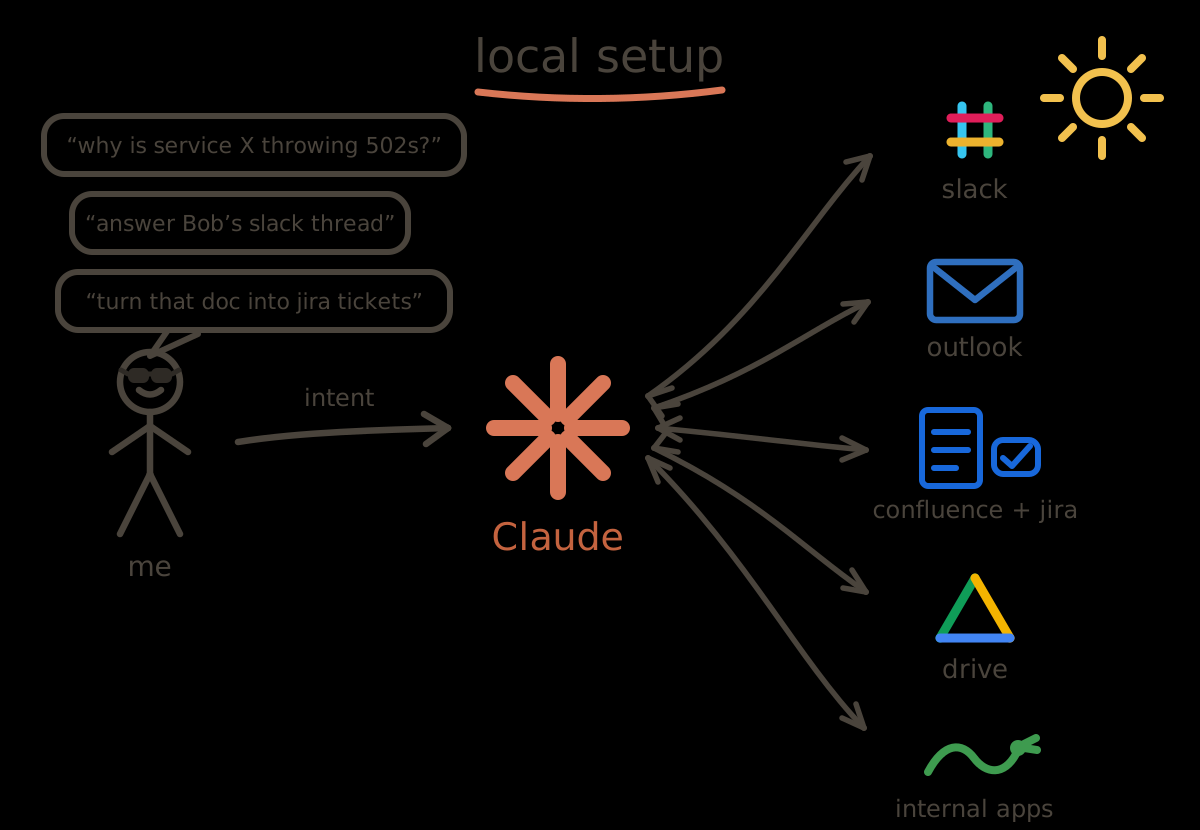
Me, Claude, and the connectors.
- Slack — connector
- To read and reply to threads and DMs. You may think: why not just copy-paste messages into Claude? Trust me, this one connector saves so much time. If there's one takeaway from this post, it's this: add the Slack connector to your Claude.
- I often get trivial questions or requests that an AI can easily handle. I don't burn my neurons on them. I burn some perceptrons. I ask Claude to check, diagnose, and reply — and the requester is probably more satisfied than if I had done it myself.
- Microsoft 365 — connector
- To check and summarize my unread email.
- "Dear Microsoft, I really wish you'd add write tools. I'd very much like to never open Outlook again and just have Claude manage it for me."
- Atlassian Rovo — connector
- Confluence holds the entire corpus of company knowledge, so this connector is essential — reading design documents, summarizing them, creating new ones.
- The Jira side manages my sprints and tickets: creating them, posting progress comments, moving them through states.
- Google Drive — connector
- To manage my work docs. I rarely use this.
A couple more are internal applications with no MCP, so I have Python scripts that talk to their APIs. Claude wrote them: I pointed it at the API docs once, it wrote the script, and that was my entire involvement. The scripts sit in a folder, and whenever a task touches one of those apps, Claude runs them itself — I have never invoked one by hand.
For coding, I use the Code tab in the desktop app. I don't remember setting up anything special. No hand-written SKILL.md or CLAUDE.md. I just create a new chat, select the project, and ask my question. Any time it performs a new kind of task, I ask it to add it to its memory, so the next time is almost instant. Any important design decision I make on a project, I ask it to write to memory too. Claude manages memory files per project.
Beyond that, I remember opening one chat and teaching it how to log in to our Kubernetes cluster, what our infra looks like, what the components are (it read that from some Confluence document), where to look for logs, and so on. After that, I forgot it all myself. Now when something breaks, I type "why is service X throwing 502s?" and it logs into the cluster, finds the crashlooping pod, pulls the logs, and points at the config change that caused it — following the runbook it wrote for itself back when I taught it.
This setup alone is quite powerful: I can get most of my work done without leaving the Claude desktop app. But it still requires me to sit in front of my computer. Not to mention the endless "Approve" button clicks. Enter the Hermes agent. I wanted to work directly from my phone, without opening my laptop.
So I provisioned a small always-on Linux box from an internal service at my company, opened a chat with Claude, and asked it to do extensive research on the Hermes docs and our internal VM service docs, set the agent up, and then seed it with the memory files from all my projects — converted into Skills, since Hermes doesn't have per-project memory the way Claude does (its built-in memory is tiny; Skills are the right home for runbooks). My agent has access to every connector above. All the MCPs and the custom API scripts were seeded into it too. I disabled all write access. I also seeded all my code, read-only, so it can do code-level diagnosis and ground its answers in source truth — but never push.
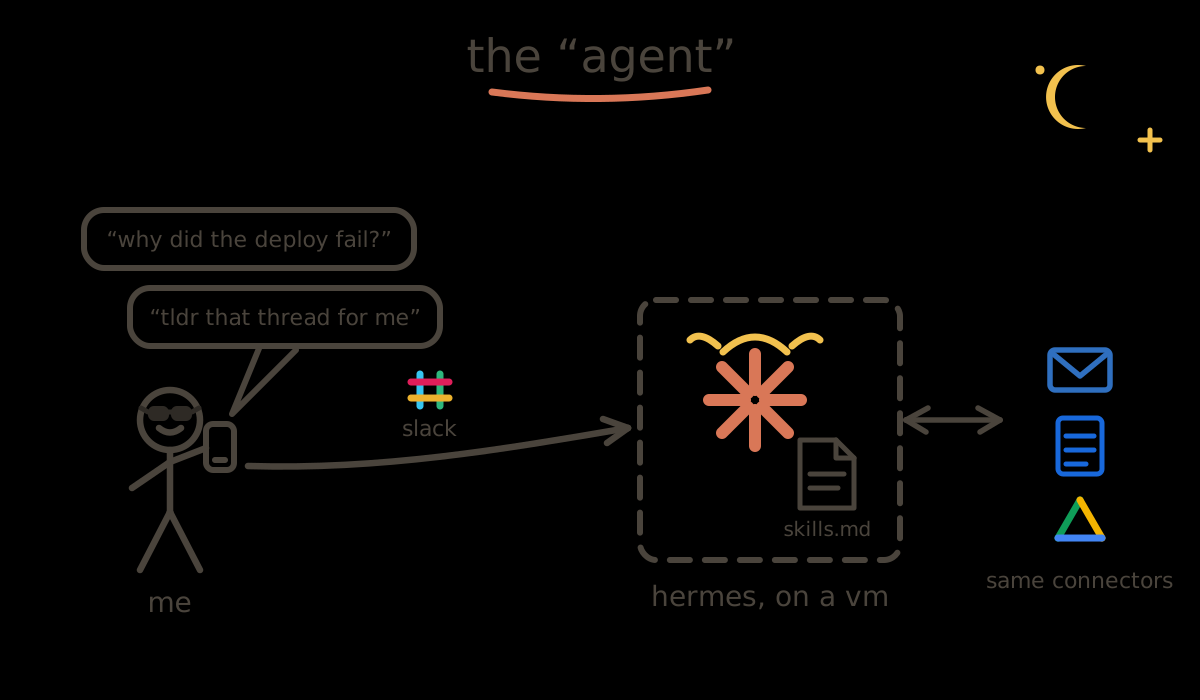
Me, my phone, and the agent.
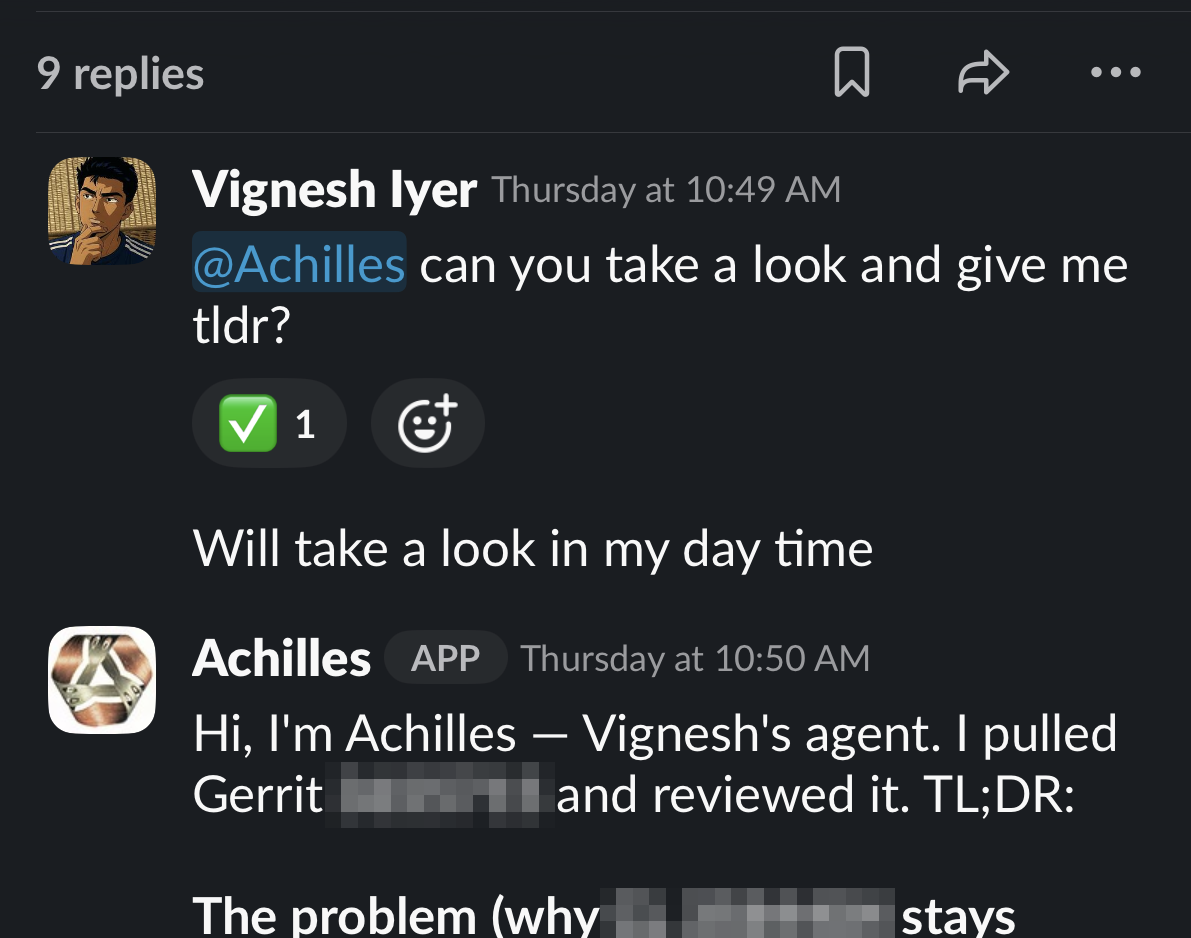
Had my agent debug and fix an issue while I was on a bus ride.
Here's roughly what "Claude, set it up" translated to. (Claude ran all of this itself; my only job was pasting OAuth codes when a browser was needed.)
Before you read below
The below code block is for your agent. So read ahead. Save your time.
Three caveats.
- First, the memory sync is strictly one-way — laptop → agent — and everything is scrubbed for secrets before it leaves the laptop; the box never carries plaintext credentials inside a skill.
- Second, the Slack allowlist is exactly one user: me. A messaging surface on an always-on agent is a shell with extra steps, so treat that allowlist like root access.
- Third, the VM comes from an internal service, so it sits inside our egress-controlled internal network. Don't put this on a public EC2 box — an always-on agent with access to your company's tools does not belong on the open internet.
That's it. And before you call out the contradiction: yes, my setup is full of markdown files — memories, runbooks, Skills — but I haven't written a single one by hand. The context writes itself as a byproduct of doing the work, not as an upfront ritual. No fancy "harness". No "loop engineering". Every other day a new term emerges — some bro on X shares a cool technique he "discovered" and makes it sound more profound than the discovery of AI itself. I never bothered wasting time reading any of them. You don't need that. You just need intent. As Naval put it:
I know that this thing is now at the stage where it is going to adapt to me faster than I can adapt to it.